Everything you and your staff do with GoCicero groups goes through one app: redemptions, bookings, menu, opening hours and payouts. Here is how each part works, screen by screen.
Already a partner? Sign in with the credentials GoCicero sent you
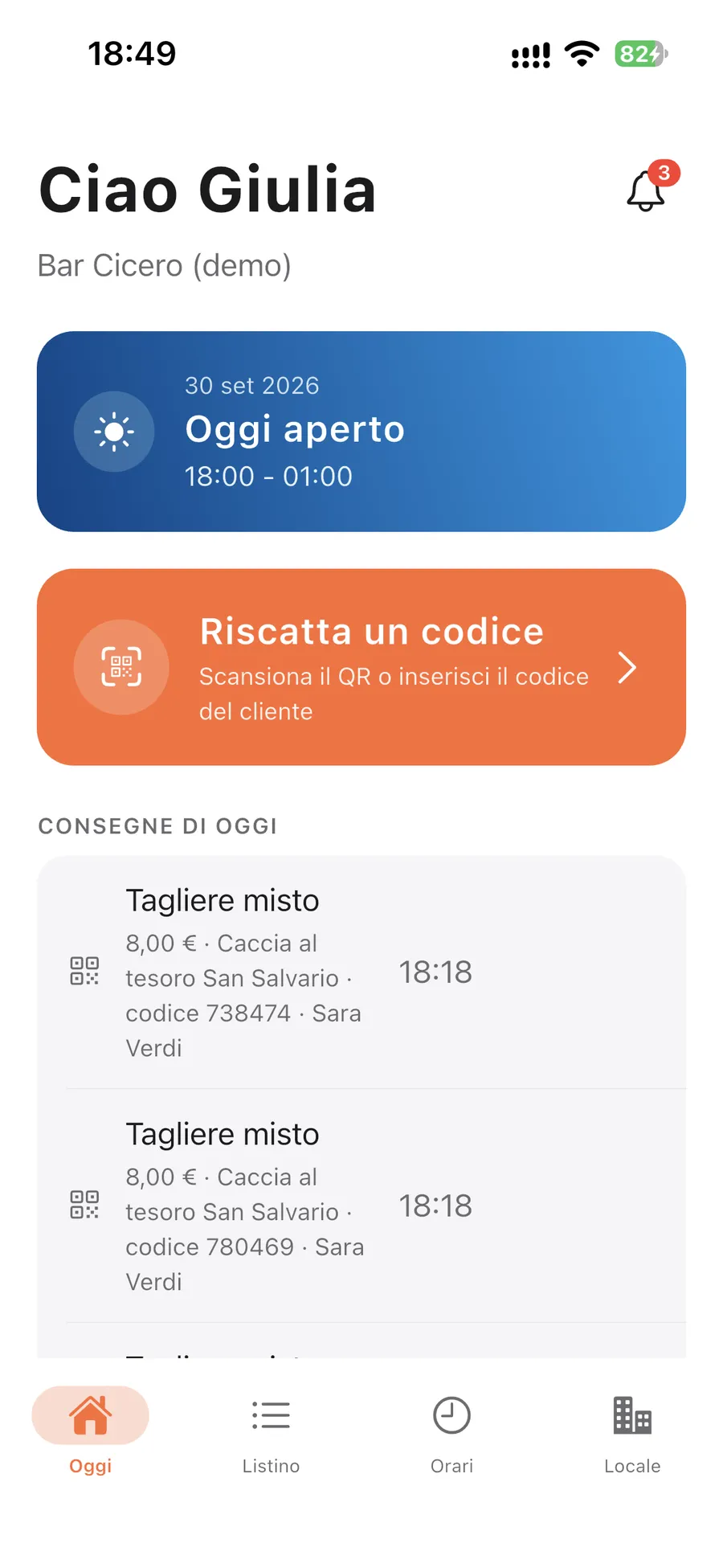
"Today" home
GC Partners
Separate access
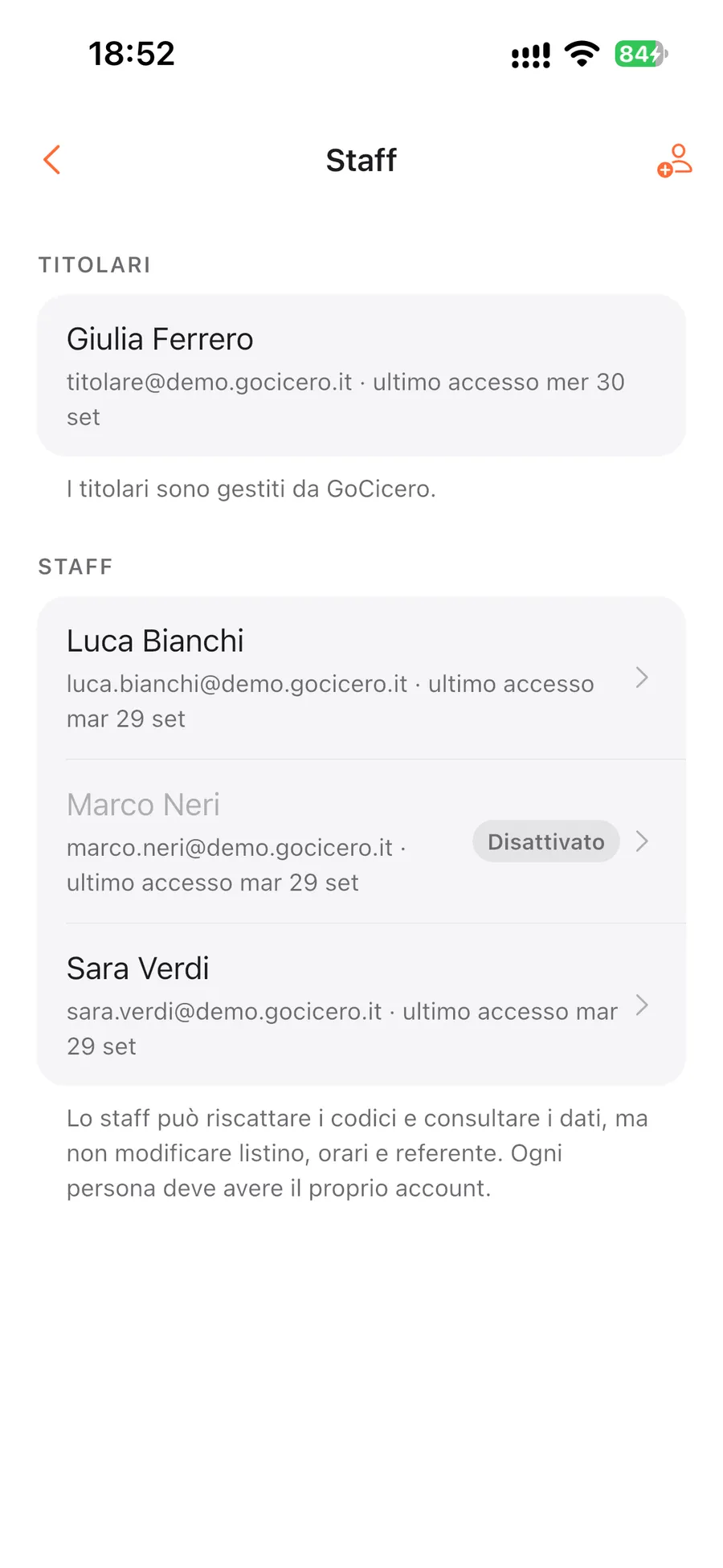
Owner and staff sign in with their own account
Everyone has personal credentials: no shared password taped behind the bar. The owner sees and decides everything, staff get only what they need to serve.
Owner
The venue's account, created by GoCicero
Everything staff can do
Payouts: Stripe dashboard and amounts awaiting transfer
Menu change requests
Opening hours, closures and operations contact
Replies to changes and new dates
Creates, deactivates and deletes staff accounts
Statistics, disputes and amounts
Staff
One account per person, created by the owner
Scans codes and records redemptions
Records refusals and non-alcoholic swaps
Sees bookings, the agenda and today's prep list
Views menu, opening hours and venue details
Gets notifications on their own phone
No access to amounts or financial data
Venue staff
Secure first sign-in
Every new account gets a temporary password by email, to be changed at first login.
Forgot password
Recovered from the app with a 6-digit code sent by email.
Connected devices
See which phones your account is open on and sign them out one by one or all at once.
Instant revocation
If an employee leaves, the owner deactivates the account and the session closes on every phone.
At the bar
A redemption in four taps
1
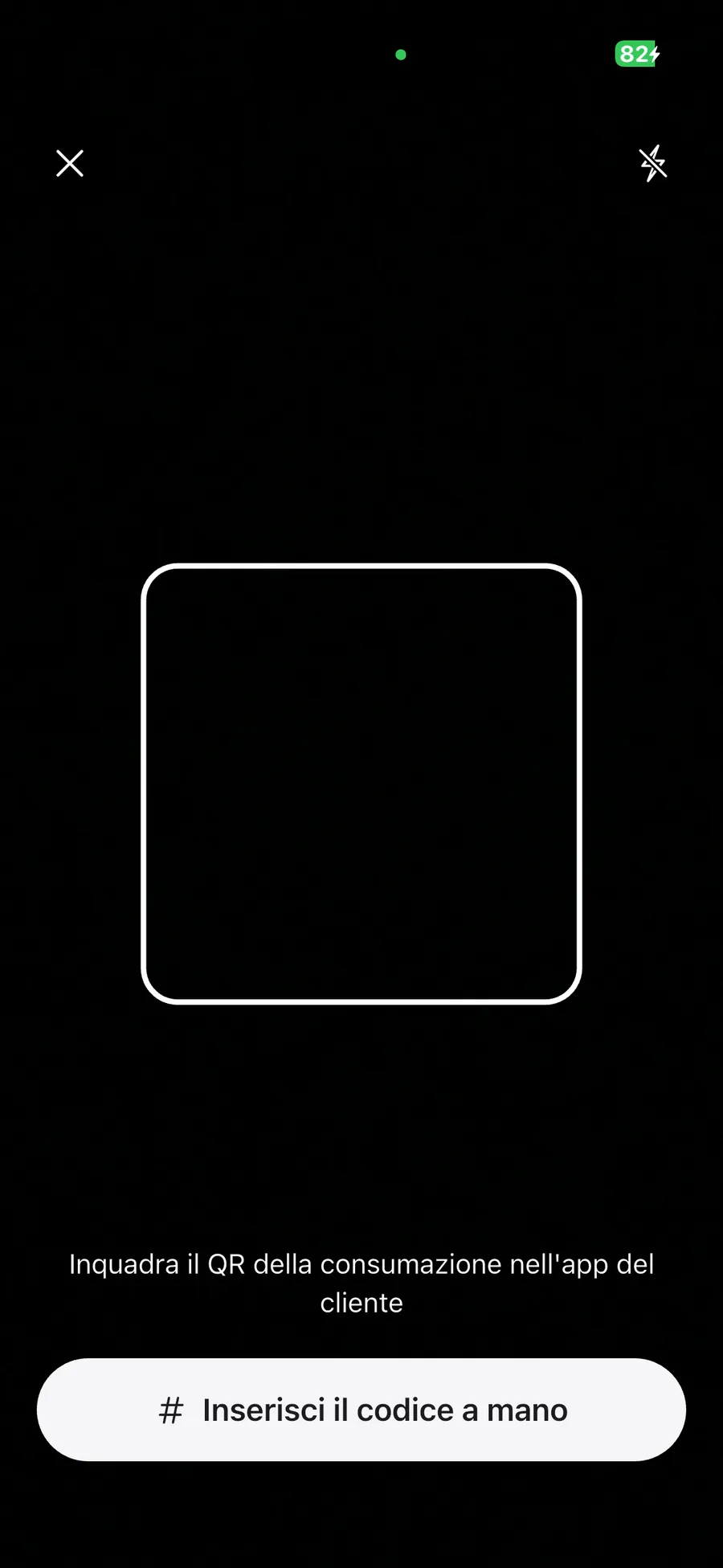
Open the scanner
"Riscatta un codice" (redeem a code) is always at the top of the home screen. Frame the QR the customer shows from the GoCicero app, with the torch if the venue is dark.
2
Read the result
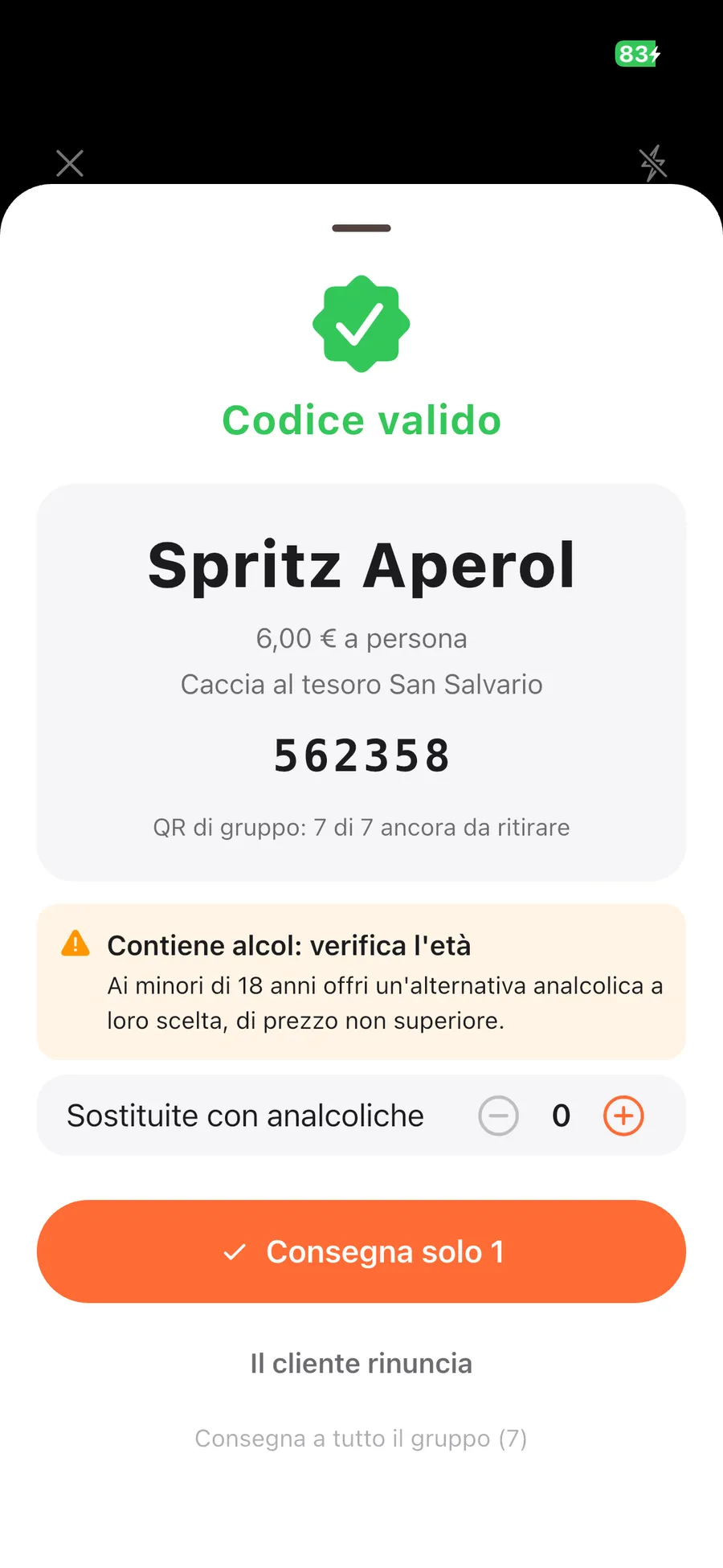
Valid, already used, cancelled or no-show: you instantly see what to serve and how much, or that nothing should be served.
3
Choose how much to serve
One item, the next one or the whole group at once: the group leader's QR works for all their teammates.
4
Confirm and serve
The redemption is recorded with time and staff member, and the ticket turns "used" in the customer's app in real time.
Redemptions
Built for whoever is serving, even on packed nights
The scanner is the core of the app and every staff member can use it. Each special case has its own button, so nobody has to improvise.
Type the code
If the QR does not scan, the alphanumeric code can be typed in. If the same code exists in more than one experience, you pick the right one.
Alcohol and minors
Alcoholic items show a reminder to check age. Minors get a non-alcoholic alternative, recorded as such: the redemption still counts.
Customer declines
If the customer does not want the item, record the refusal: it counts as a no-show, not as a missed delivery.
Even offline
With no connection the redemption is saved on the phone and recorded automatically, with the real time, as soon as the network is back (within 48 hours).
Mistake? Undo it
A redemption recorded by mistake can be undone within 60 minutes with a long press: the code becomes usable again.
QR scanner
Code result
Bookings and agenda
Know in advance who's coming and what to prepare
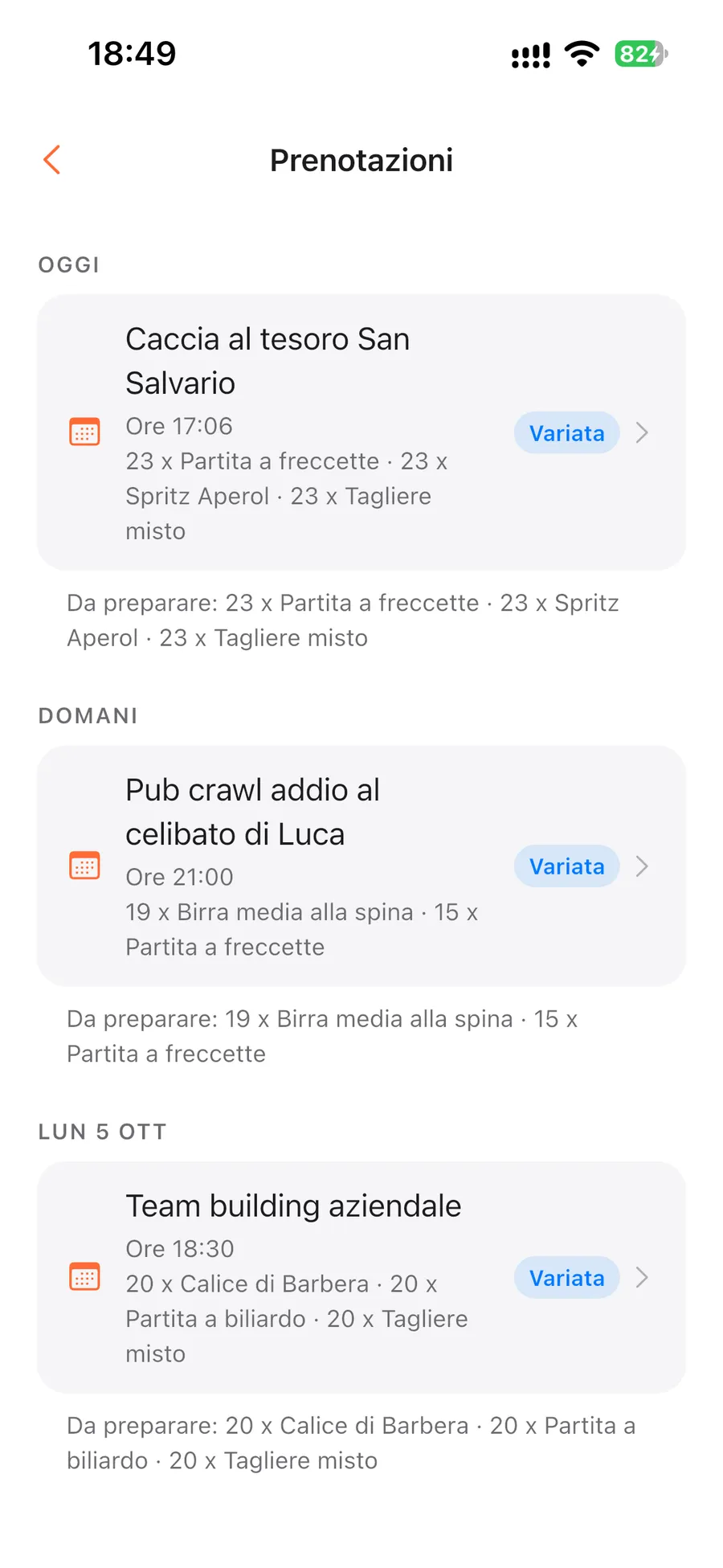
Every experience sold with a stop at your venue becomes a booking, visible as soon as GoCicero adds it. The home screen tells you what to prepare today, the agenda what is coming next.
Day-by-day agenda
Today, tomorrow and the following dates, each with its "to prepare" total: for example 12 spritz, 8 sharing boards and 2 games of pool.
Every detail
Date and time, experience, menu item, quantity and per-person price, locked in at booking even if you later change the menu.
Expected groups
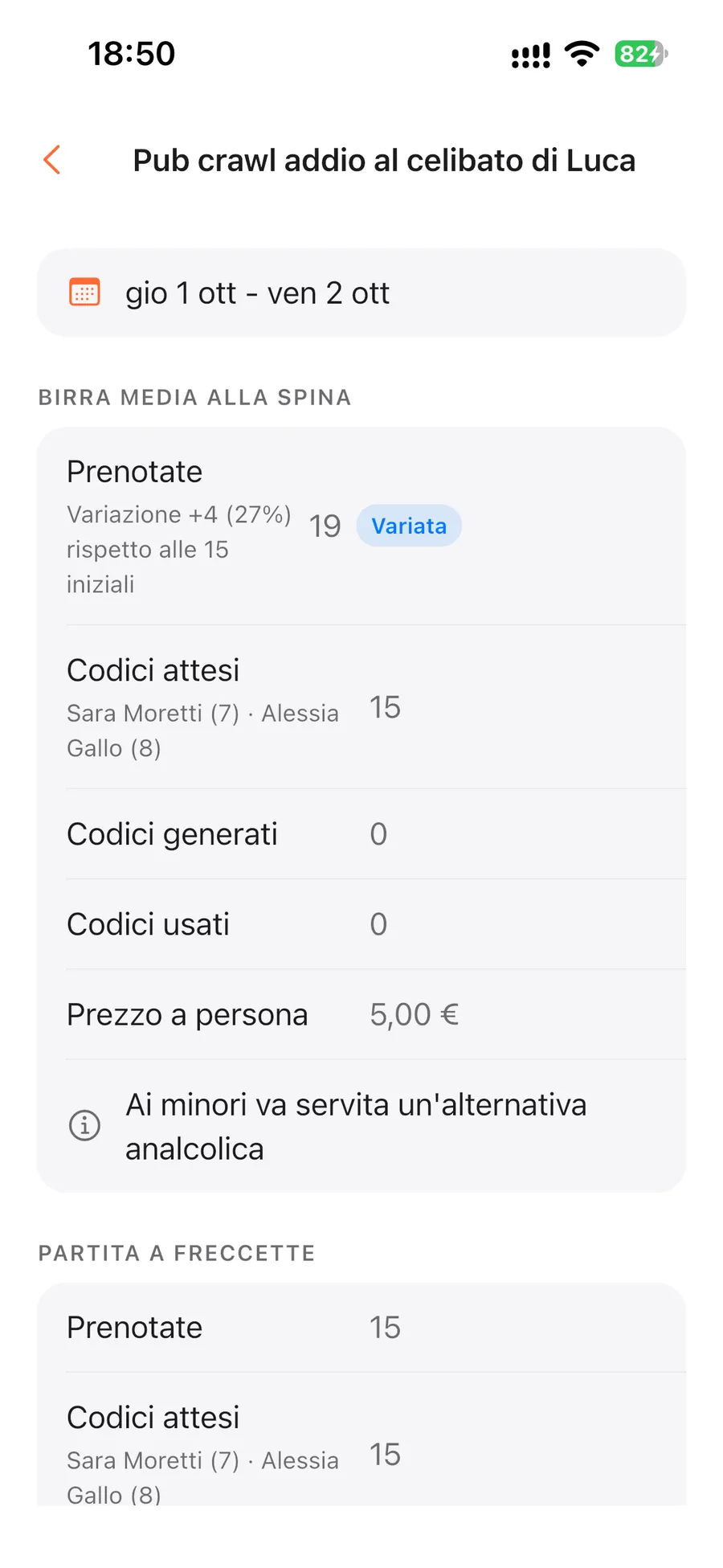
For each booking you see the group leader's name, the number of participants and the codes expected and already used.
Only the data you need
No customer contacts and no allergy or health data: you only get what you need to serve the group.
"Today" home
Booking agenda
Changes and new dates
If something changes, you know straight away and can reply
Groups getting bigger, participants dropping out, experiences moved: every change arrives as a notification and shows up in the booking detail, with quantities before and after.
Cumulative change
The difference from the original quantity is always shown in units and as a percentage, adding up every change.
Up to 20%
The change is accepted automatically: you just need to know the group has changed.
Over 20%
The owner can report that it cannot be accommodated, for example not enough seats or equipment, within 24 hours of the notice.
New date
If the experience is moved you can reply "Non disponibile nella nuova data" (not available on the new date) until it starts, seeing first the amount you would not receive.
Cancellations
A cancelled booking disappears from the agenda and you get a notification: nothing to set aside.
Booking detail
Menu
Items and activities, with prices and allergens always in order
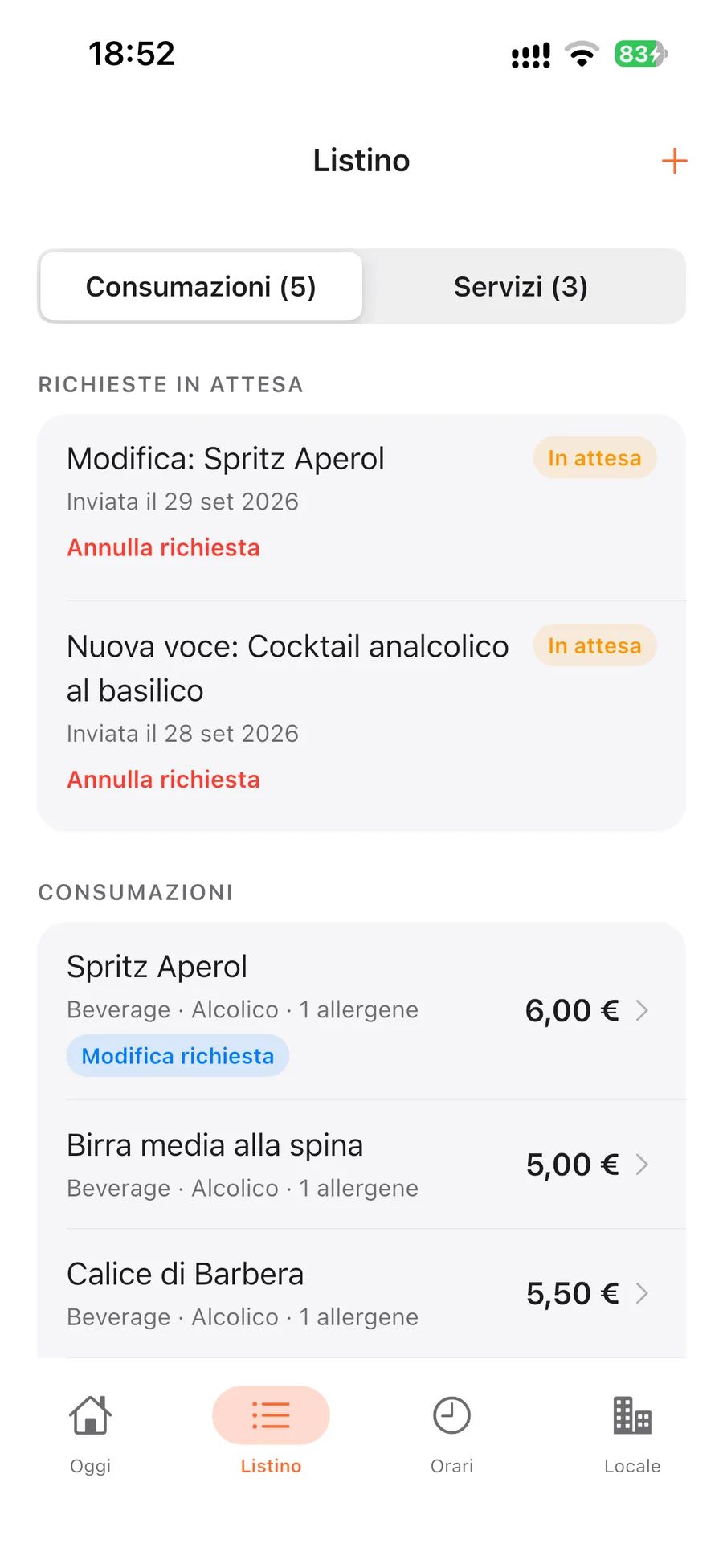
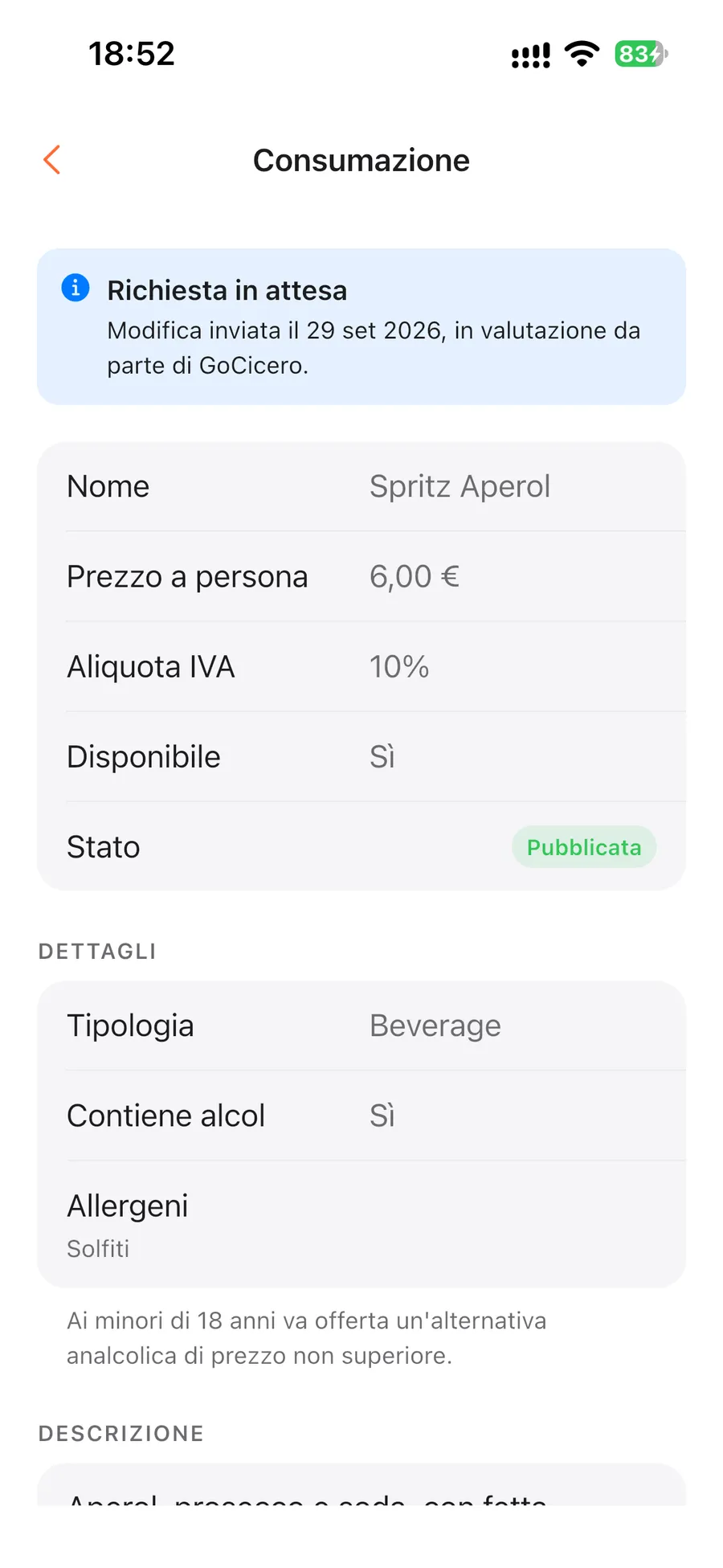
The menu holds everything you offer groups. The owner does not publish directly: they send a request, GoCicero checks and applies it, and you follow the status of every item.
Food, drinks and activities
Items with a per-person price including VAT, alcohol flag and the 14 allergens. Activities like darts or pool with duration and number of players.
Tracked requests
New item, change or removal: every request has its own status and you get a notification when it is applied or rejected. While pending you can cancel it.
Status of every item
Under review, published or not published, with any note from GoCicero.
How customers see you
A preview shows your venue card as it appears in the GoCicero app, with menu and allergens. If the venue doesn't show up, the app tells you why.
Menu
Menu item
Hours and closuresOwner only
Holidays, emergencies and broken equipment, in a few taps
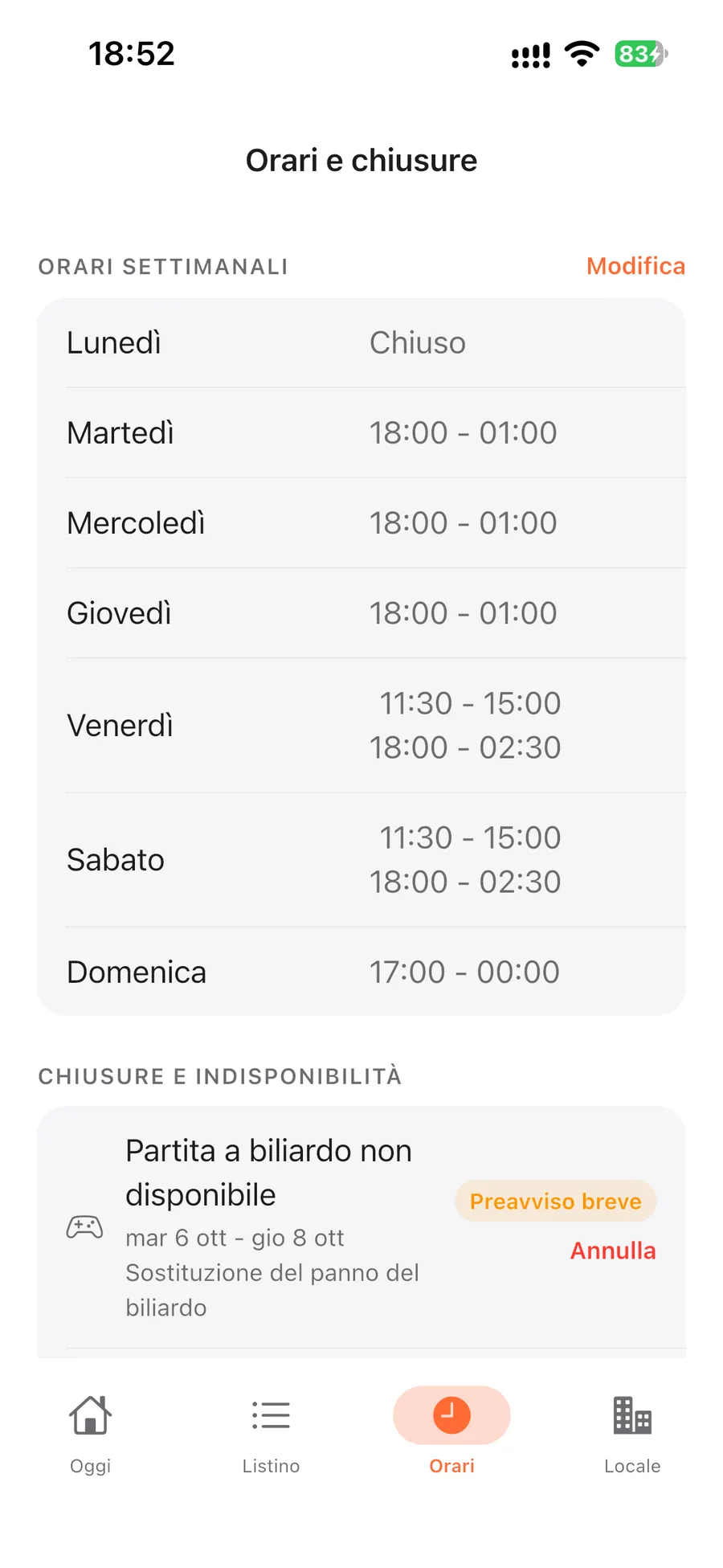
Opening hours tell GoCicero when groups can stop by. Every closure is reported from the app and, before confirming, you see which bookings it affects.
Weekly hours
Up to three time slots a day, even past midnight, copied to every day with one tap.
Closing today
For an emergency, close for the day with one button, to be used before opening time.
Holidays and planned closures
They must be reported at least 7 days in advance: with shorter notice the app warns you before sending.
Activity unavailable
Pool table broken? Report it for the affected dates and the rest of the menu keeps working.
Break from experiences
You can pause taking part in experiences while staying open for your own customers.
Bookings that fall within a closure are refunded or relocated by GoCicero and the related amounts are not transferred to you: that is why the app shows them before you confirm.
Hours and closures
Payouts
From the customer's payment to your bank account
Money flows through Stripe, the payment platform GoCicero uses. Here is the full journey of every item sold, with no commission charged to you.
1
The customer pays
Whoever books the experience pays by card at purchase, items included. The payment reaches GoCicero through Stripe.
2
GoCicero holds it
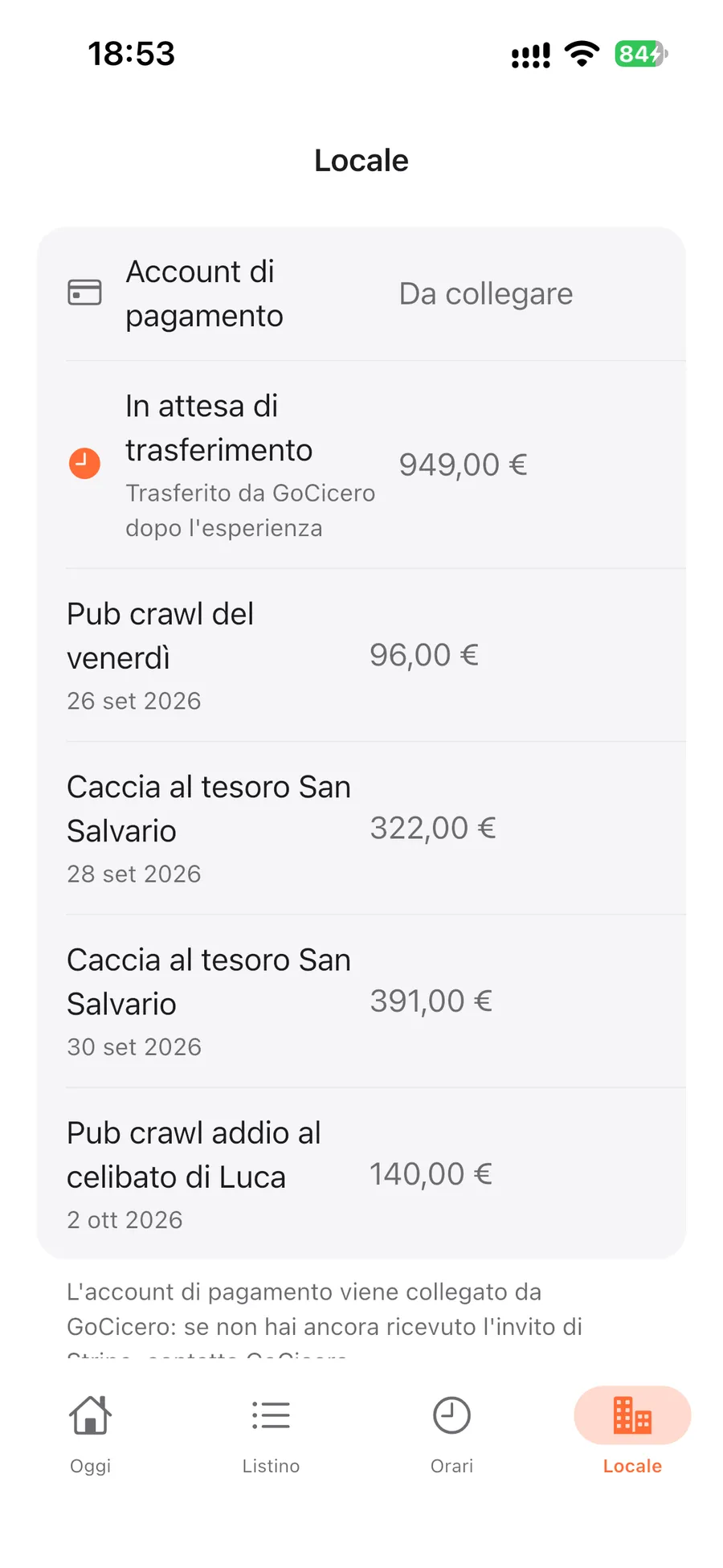
Your share is held on your behalf. The owner sees it in the app, experience by experience, as "In attesa di trasferimento" (awaiting transfer).
3
Transfer to Stripe
After the experience GoCicero transfers the full menu price: within 2 business days for redemptions, within 3 for no-shows.
4
Payout to your bank
Stripe pays the available balance out to the venue's bank account, following the payout schedule shown in the dashboard.
Stripe's vocabulary
Balance, payment, transfer, payout: what they mean
💳
Payment
What the customer pays GoCicero at purchase. You do not see it in your Stripe: only your share arrives there.
🔁
Transfer
Your share moving from GoCicero's Stripe account to yours, done after the experience.
⏳
Balance
What you have on your Stripe account. "Incoming" funds are not ready yet, "available" ones are ready for payout.
🏦
Payout
The bank transfer Stripe uses to move the available balance to the venue's bank account.
Stripe Express dashboardOwner only
Balances, transfers and payouts, one tap from the app
Every venue has its own Stripe Express account, connected to GoCicero. You activate it once and then check it straight from GC Partners, with no extra password to remember.
Guided activation
GoCicero sends you Stripe's invitation: you complete sign-up with your business details, an ID document and the venue's IBAN.
Access from the app
From Locale, Incassi, "Dashboard Stripe" (Venue, Payouts, Stripe dashboard): a secure one-time link opens and Stripe asks for a code by SMS or email.
What's in the dashboard
Incoming and available balance, transfers received, payouts with dates and status, bank account and payout schedule.
Awaiting transfer
In the same section of the app you see what GoCicero collected for you and has not transferred yet, experience by experience.
The Payouts section is visible to the owner only: staff see no amounts and cannot access Stripe.
Payouts section
Notifications
Every update reaches you, even with your phone in your pocket
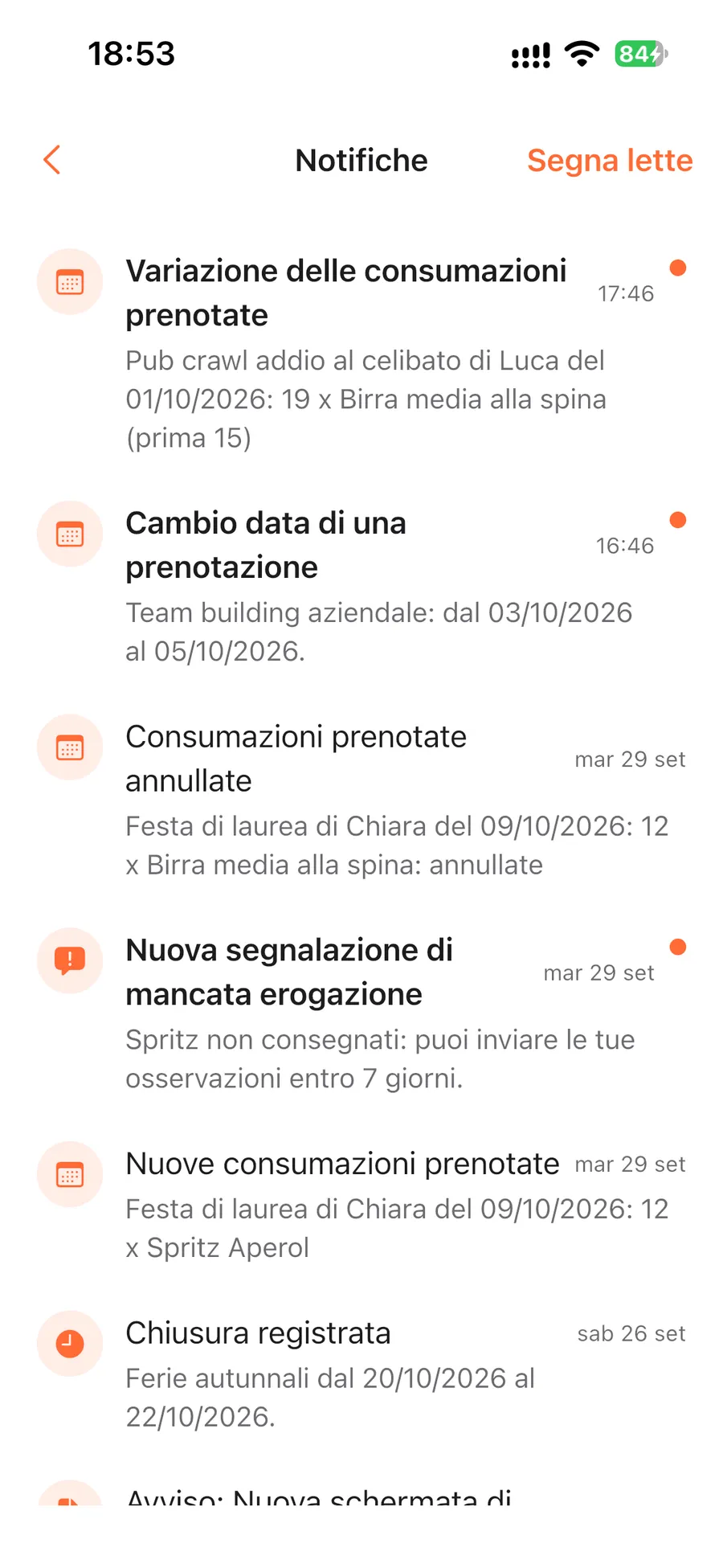
GoCicero's messages arrive in three ways: push notification, the in-app bell with unread messages and an email to the venue's contact.
Bookings
New bookings, quantity changes, cancellations and new dates.
Menu
Requests applied or rejected and items excluded from publication.
Your venue
Closures, new documents, changes in partnership status and notices of service changes, which you confirm you have read.
One tap and you're there
Opening a notification takes you straight to the related section. Push notifications are turned on from the home screen with "Attiva le notifiche" (enable notifications).
Notification center
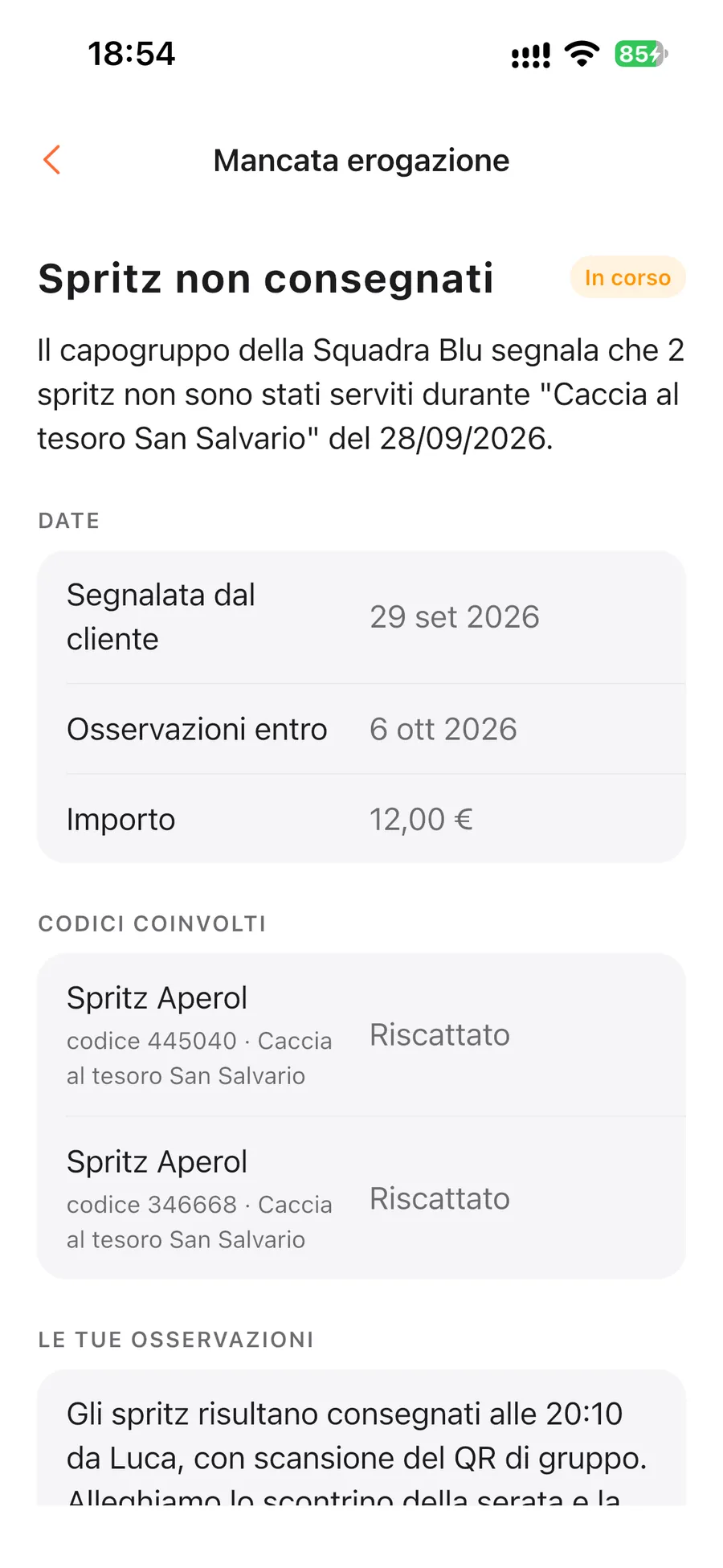
Reports and disputesOwner only
If a customer reports a problem, you get to reply
The redemption log, with time and staff member, is proof of what you served. When a report or a chargeback comes in, everything is handled in the "Contestazioni e importi" (disputes and amounts) section.
Your side of the story
Explain what happened within 7 days and attach up to 10 photos, such as receipts or pictures of the bar.
Outcome in the app
Follow every report from opening to outcome, with notes from GoCicero.
Chargebacks
If a customer disputes the payment with their bank, you see the cause identified and can provide evidence for the defence.
Amounts log
Refunds, offsets and amounts in your favour, each with its own status.
Dispute
Statistics and venue detailsOwner only
Your venue's numbers and every document in one place
The owner gets a full view of how the venue works with GoCicero, and every partnership document always at hand.
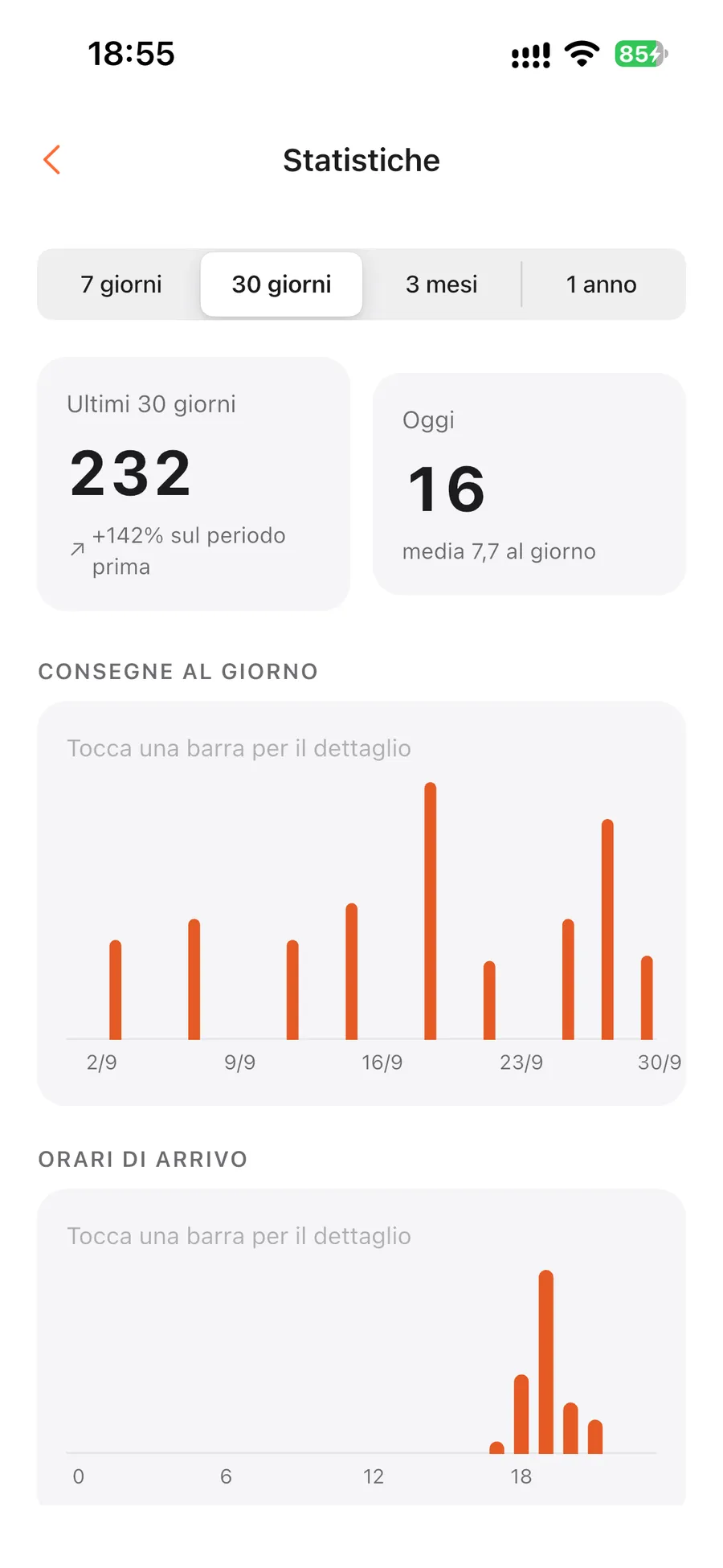
Statistics
Redemptions by day, time slot, weekday, item and staff member, compared with the previous period.
Details and contact
The venue's details and operations contact, which the owner updates from the app.
Documents
Signed agreement and attachments always available, together with the GoCicero materials kit for your venue.
Light and dark theme
The app stays readable even in dimly lit venues.
Statistics
Frequently asked questions
Questions about the GC Partners app
GoCicero creates the owner account: you get a temporary password by email and choose your own at first sign-in. The owner then creates staff accounts directly from the app.
No. Staff scan codes, record redemptions and view bookings, menu and hours. Payouts, statistics, disputes and changes stay with the owner.
Record the redemption anyway: it is saved on the phone and sent automatically with the real time as soon as the network is back, within 48 hours. If a code is rejected, for example because it had already been used, the app tells you.
Within 60 minutes you can undo it with a long press on the redemption: the code becomes usable again for the customer.
After the experience GoCicero transfers your share to your Stripe account, within 2 business days for redemptions and within 3 for no-shows. From there Stripe pays out to your bank account following the schedule shown in the dashboard.
No: your Stripe account receives the full menu price of the items, with no percentage kept by GoCicero.
Yes. Everyone uses their own account on one or more phones, and from "Dispositivi collegati" (connected devices) you can sign one or all the others out at any time.
If the group arrives together, the group leader's QR works for all teammates. Otherwise the code can be typed into the scanner by hand.
Want GC Partners in your venue?
Apply with your venue: we'll get back to you to explain the partnership and set up access for you and your staff.
We use technical cookies necessary for the site to work and, only with your consent, statistical cookies to understand how the site is used. Read the Privacy Policy.